 1064e4fcdc
* fix: silo service initial setup

* feat: moved controllers inside runner

* feat: created core definations for apps and context

* feat: added interfaces required for apps

* feat: moved shared definations

* feat: added logger as an injection for apps

* feat: changes to controllers

* feat: added vm based app execution inside manager

* feat: added dummy implementations for core constructs

* feat: moved controllers to routes

* feat: created worker moduler for processing message queue requests

* feat: added task manager defination

* feat: added context and manager separations

* feat: created defaults for the defination implementation

* feat: added async task management inside apps

* feat: removed unnecessary arguments in function calls

* feat: added context builder for app instances

* feat: added runtime type safety with zod

* feat: added packaged definition structure for silo apps

* feat: added package based configuration for engine and definitions

* feat: added custom eslint rule for throws decorator

* feat: added custom eslint rule for try catch

* feat: removed custom eslint config

* feat: added authentication controller inside engine

* feat: added auth in silo engine

* feat: migrated jira ui module to plane

* chore: removed jira app

* chore: moved engine components into src_engine directory

* feat: added base template inside new src directory

* feat: migrated worker interface with mq and redis store inside new src

* feat: created jira migrator and jira importer types

* chore: migrated worker's helper inside the base directory

* feat: added logic for booting up root worker

* feat: added jira and jira auth service inside jira app

* feat: added all transformers inside jira package

* feat: added authorization types for jira

* feat: added jira authentication oauth class

* feat: added jira transformer and pull mechanisms inside jira app

* feat: addded batching logic inside jira migrator

* feat: embedded silo sdk inside jira migrator

* feat: added plane migrator inside engine

* feat: added plane migrator for push inside migration controller

* feat: added controller methods for migration

* feat: added credentials and job routes in controller

* feat: added linear importer

* feat: added linear pull function as importer

* feat: added transformation for linear data

* feat: added pull mechanism for linear

* feat: attached linear data importer with migration controller

* fix: removed hardcoded jira from cycle and module migrator

* feat: fixed build errors

* chore: addeed example env

* feat: added authentication routes for jira

* feat: added linear route controller

* fix: restructuring

* fix: sdk configs setup

* fix: merge conflicts

* fix: sdk setup

* chore: added jira and linear importers and separate packages

* feat: moved transformation parts to linear package

* feat: decoupled jira logical parts with worker

* fix: linear silo app to use linear package

* fix: build errors and dependency resolution with packages in silo

* fix: module build errors in silo

* fix: linear authorization flow

* feat: added logic for segregated workers

* feat: attached task manager with the base starter

* feat: added migrations, query and schema into db directory

* feat: added linear importer and jira importer app structure

* feat: added silo core package

* chore: migrated worker and main engine controller inside apps

* fix: made linear integration working

* silo: added cors

* feat: added base64 state changes with jira

* chore: updated silo env

* fix: jira token cookie

* feat: added issue attachments in linear job

* feat: added credentials controller

* feat: added github package inside silo packages

* feat: added resource fetching in jira api service

* feat: added credentials locking

* feat: created resources endpoint for jira

* feat: added endpoints for getting jira data

* fix: credentials not working

* chore: exported jira types

* chore: added jira states

* fix: jira project pagination issue

* chore: initiated silo folder in web

* feat: added github routes and services in silo app

* fix: build updates

* fix: updated plane sdk and updated jira importer

* chore: updated the importer layout

* chore: removed as any from table component

* chore: integrated importer dashboard

* fix: tsup fixes

* fix: removed unnecessary files

* fix: removing tsup for building silo packages

* fix: build related issues

* fix: build issues

* fix: eslint fixes

* fix: silo build errors

* fix: silo app build errors types

* fix: reverting the cloud branch

* fix: updated package json in silo service

* fix: branch build cloud updated

* fix: build errors in apps while using sdk due to ts-alias paths

* fix: branch build cloud workflow fixes

* fix: docker compose setup updates

* fix: docker compose build fixes

* fix: docker build fixes envs updated in example file

* chore: updates folder structure and handled job services

* chore: resolved build errors in silo chore

* fix: docker compose cloud added

* fix: build process docker compose

* chore: updated jira workflow

* chore: handled the job start and jira dashboard

* chore: updated constants, file naming convention

* chore: resolved merge conflicts

* chore: integrated linear and updated jobs query

* feat: added hostname changes

* conflict: updated jira config and added issue transformation count in dashboard

* conflict: updated job

* chore: updated Jira status

* chore: updated Jira status

* fix: batch processing

* fix: batch key release

* chore: updated workflow for building images

* fix: detached silo build

* chore: updates linear and resolved build errors

* fix: batch key missing

* fix: linear workflow

* chore: updated linear queries

* fix: docker compose fixed for running silo services

---------

Co-authored-by: sriram veeraghanta <veeraghanta.sriram@gmail.com>
Co-authored-by: Henit Chobisa <chobisa.henit@gmail.com>

Plane
Open-source project management that unlocks customer value


Website • Releases • Twitter • Documentation


Meet Plane, an open-source project management tool to track issues, run sprints cycles, and manage product roadmaps without the chaos of managing the tool itself. 🧘♀️
Plane is evolving every day. Your suggestions, ideas, and reported bugs help us immensely. Do not hesitate to join in the conversation on Discord or raise a GitHub issue. We read everything and respond to most.
⚡ Installation
The easiest way to get started with Plane is by creating a Plane Cloud account.
If you would like to self-host Plane, please see our deployment guide.
| Installation methods | Docs link |
|---|---|
| Docker |  |
| Kubernetes |  |
Instance admins can configure instance settings with God-mode.
🚀 Features
-
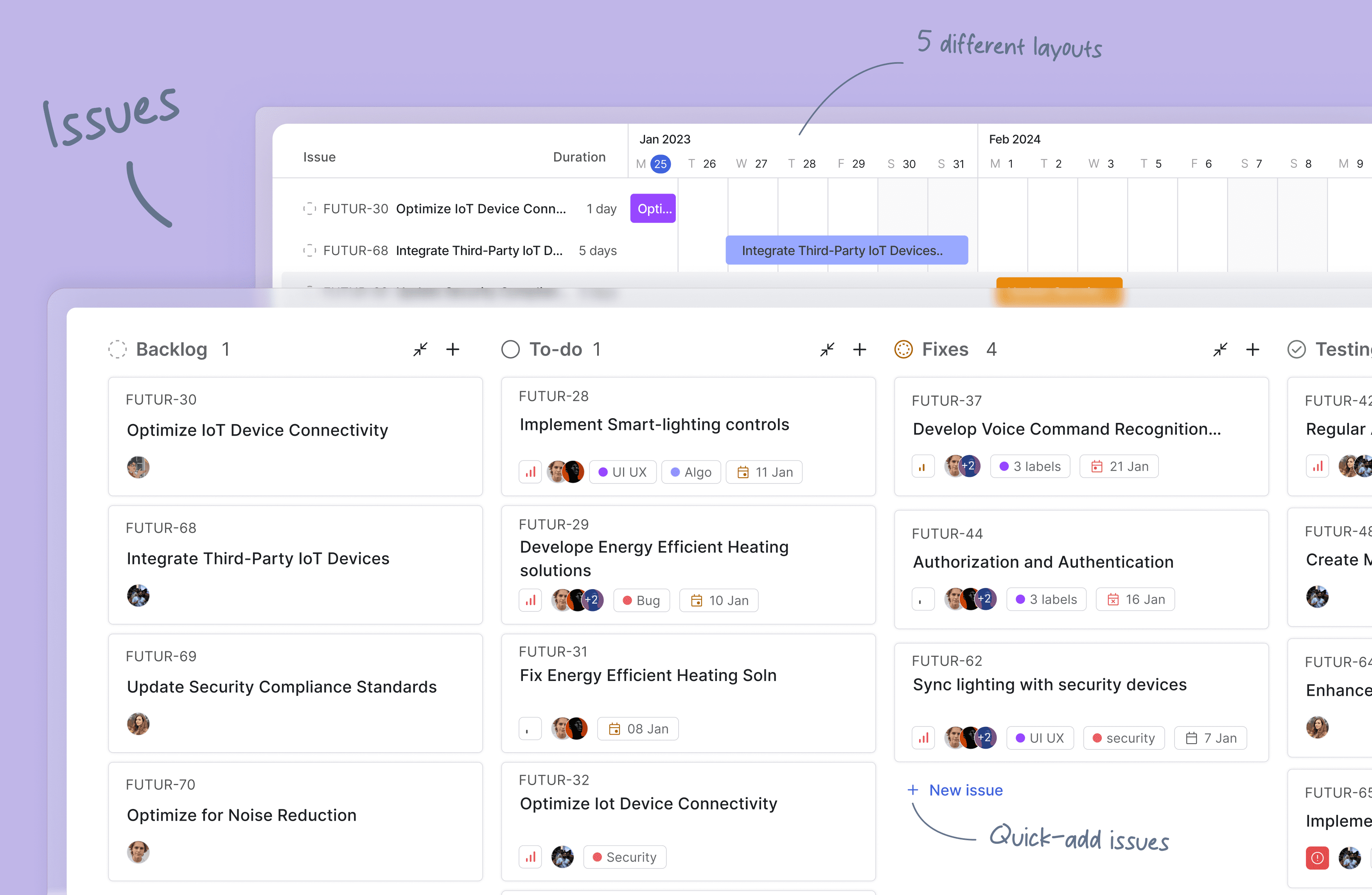
Issues: Quickly create issues and add details using a powerful rich text editor that supports file uploads. Add sub-properties and references to problems for better organization and tracking.
-
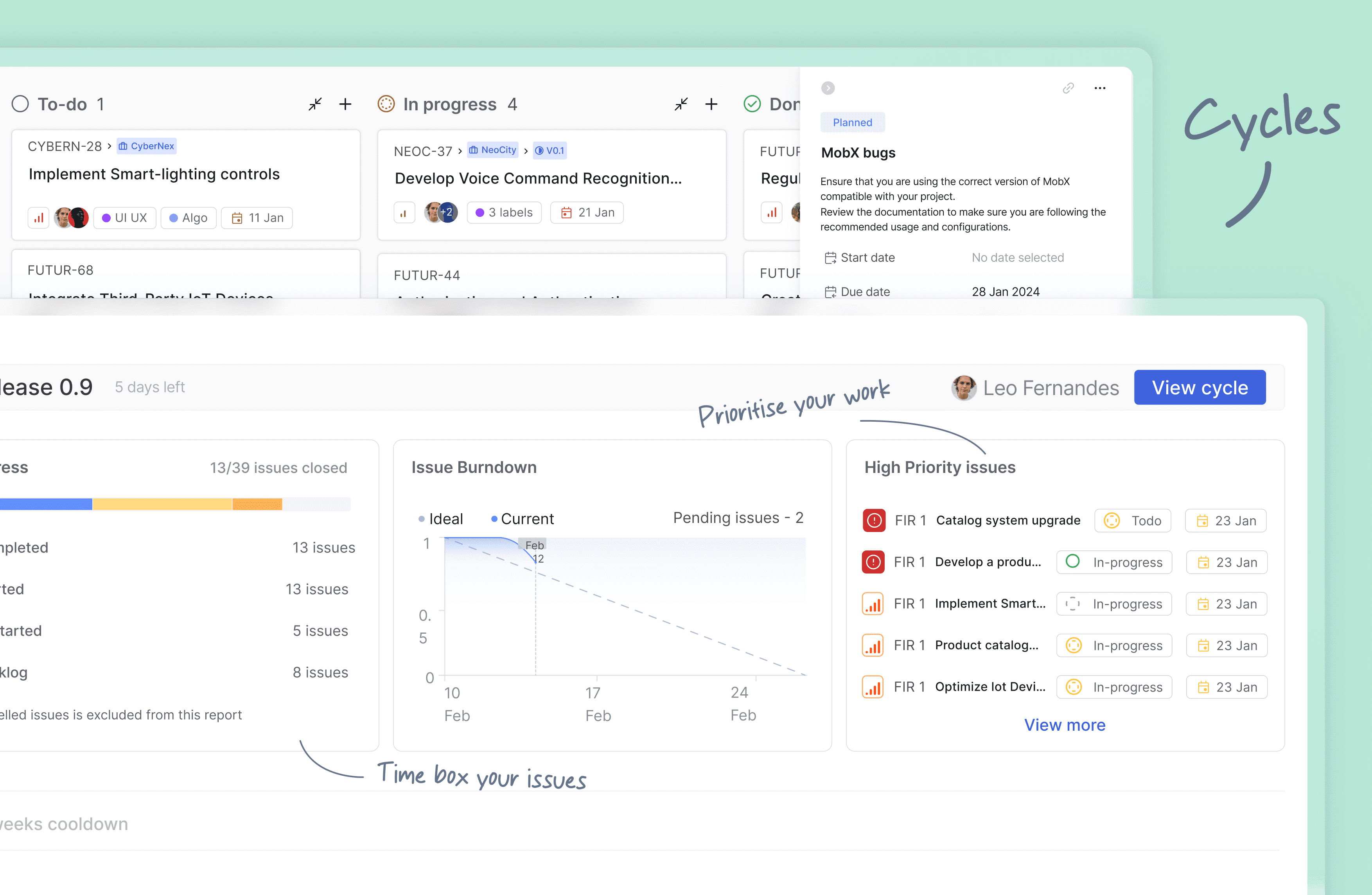
Cycles: Keep up your team's momentum with Cycles. Gain insights into your project's progress with burn-down charts and other valuable features.
-
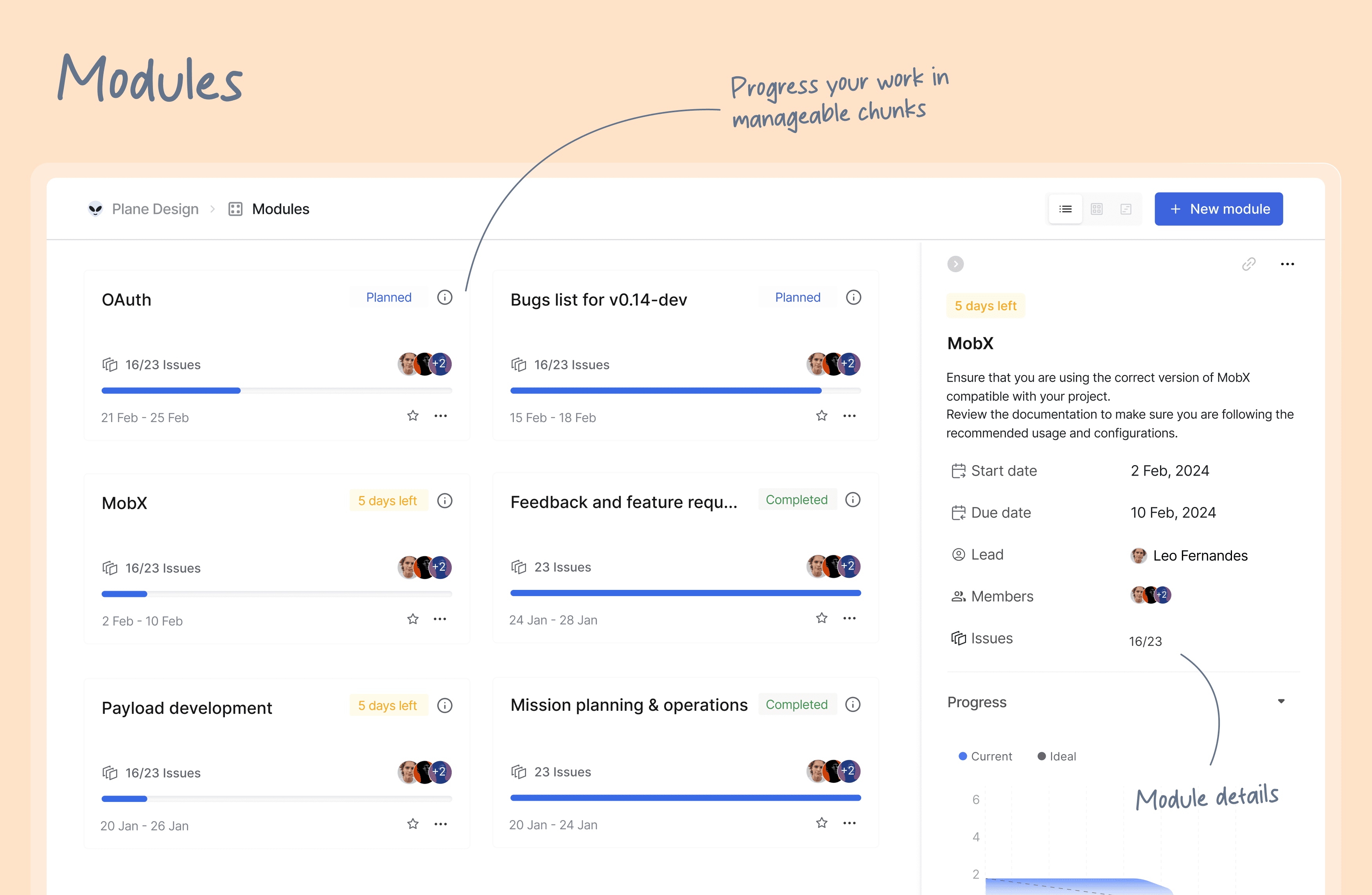
Modules: Break down your large projects into smaller, more manageable modules. Assign modules between teams to track and plan your project's progress easily.
-
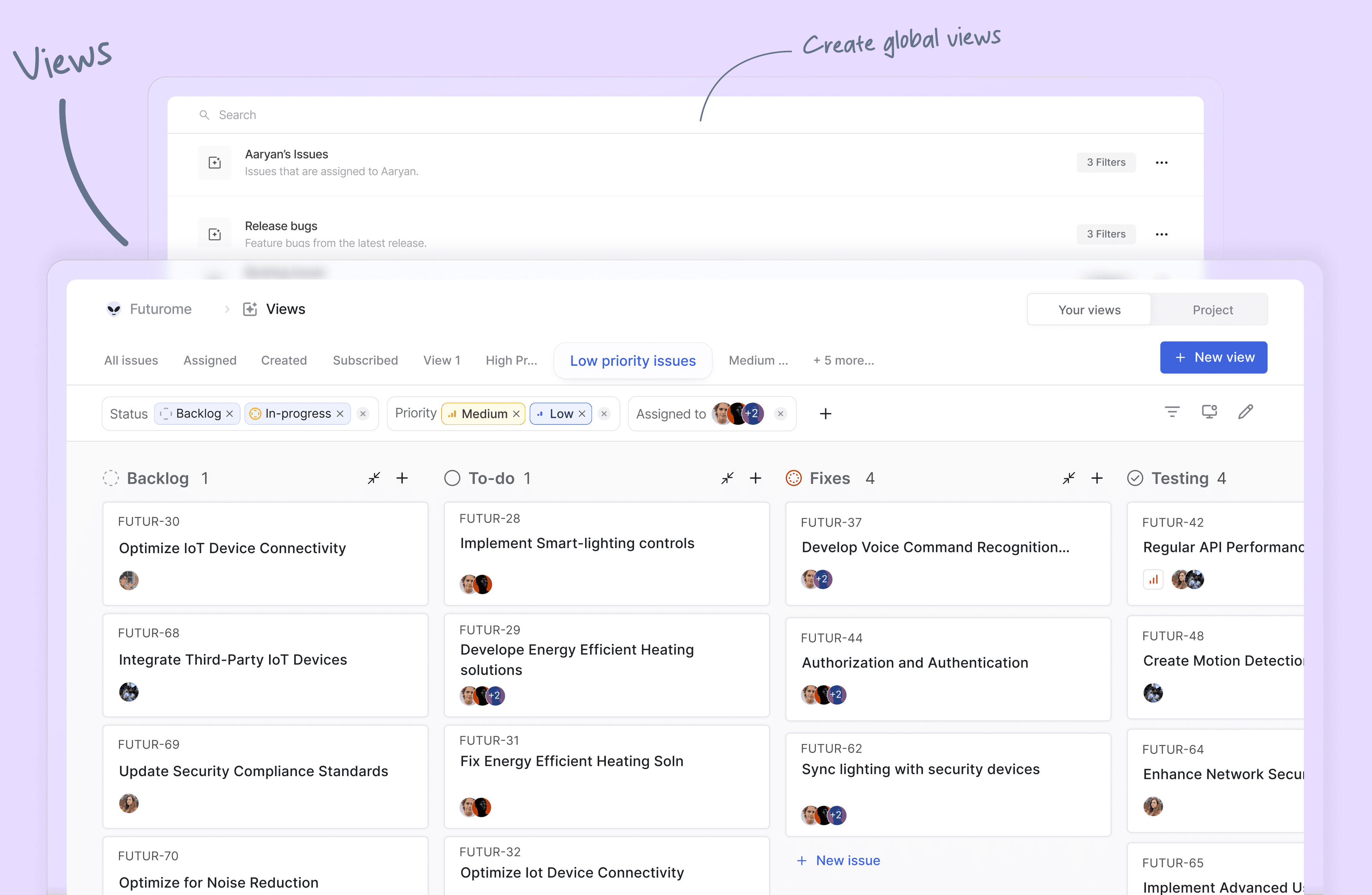
Views: Create custom filters to display only the issues that matter to you. Save and share your filters in just a few clicks.
-
Pages: Plane pages, equipped with AI and a rich text editor, let you jot down your thoughts on the fly. Format your text, upload images, hyperlink, or sync your existing ideas into an actionable item or issue.
-
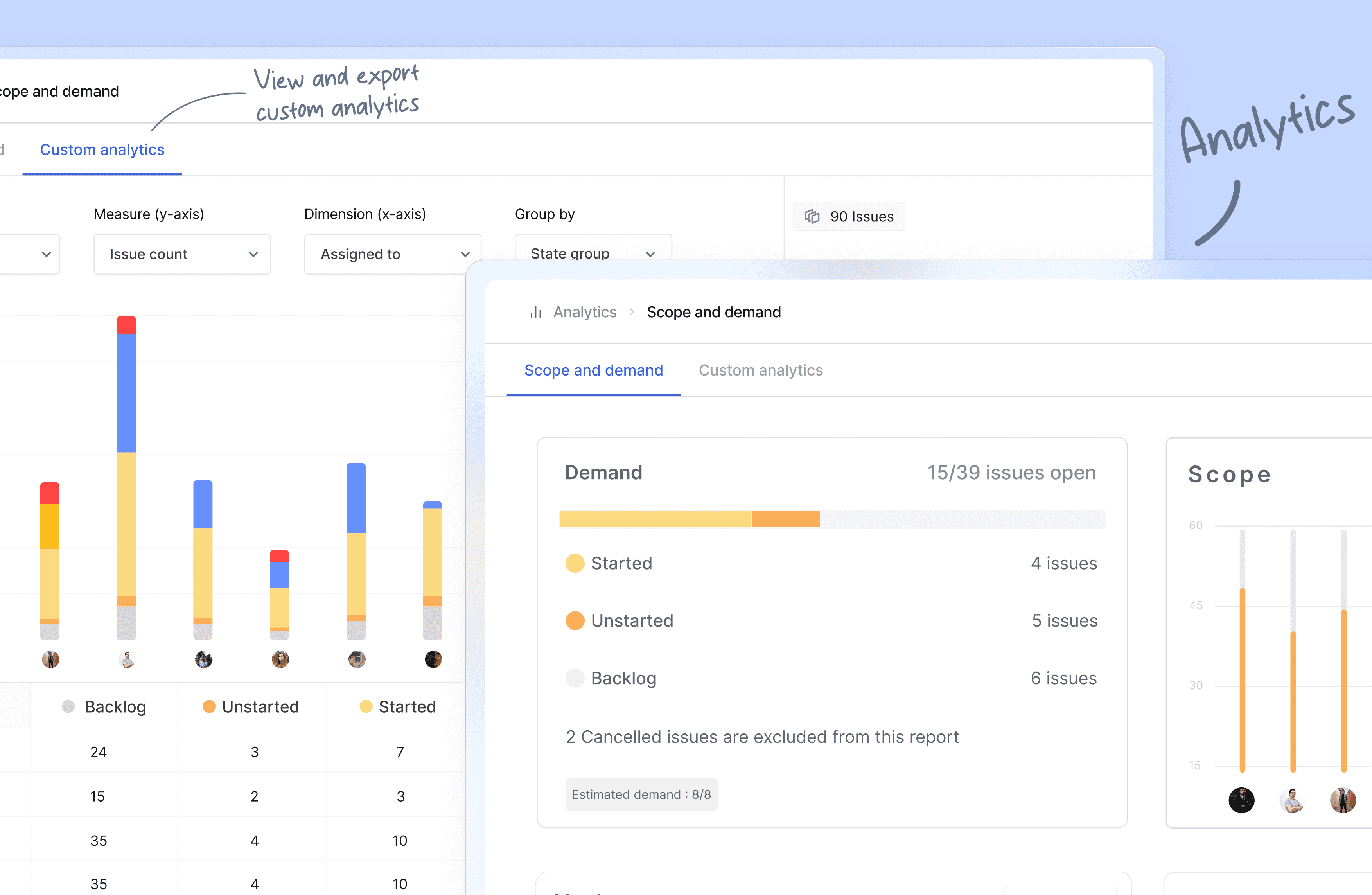
Analytics: Get insights into all your Plane data in real-time. Visualize issue data to spot trends, remove blockers, and progress your work.
-
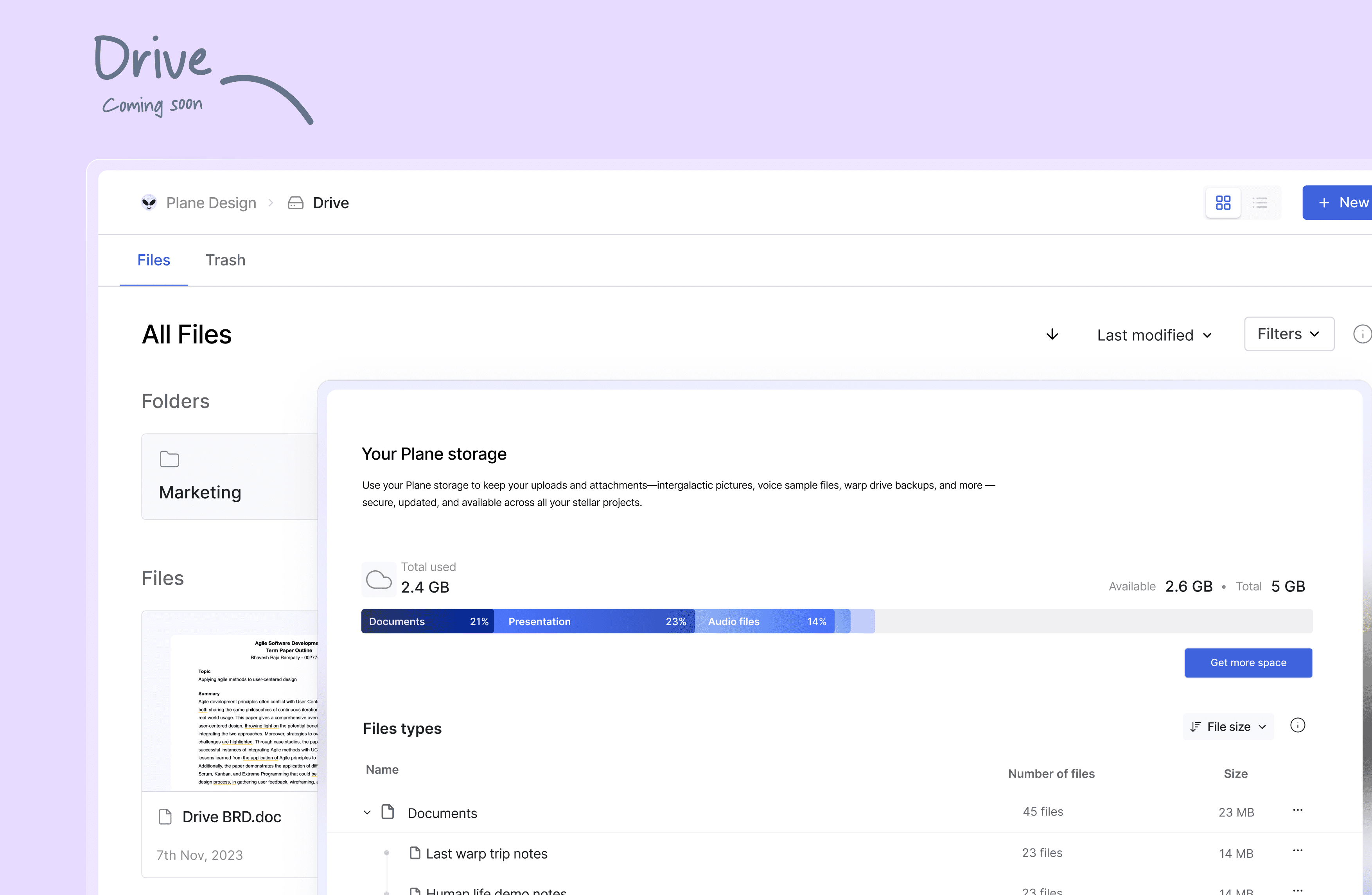
Drive (coming soon): The drive helps you share documents, images, videos, or any other files that make sense to you or your team and align on the problem/solution.
🛠️ Quick start for contributors
Development system must have docker engine installed and running.
Setting up local environment is extremely easy and straight forward. Follow the below step and you will be ready to contribute -
- Clone the code locally using:
git clone https://github.com/makeplane/plane.git - Switch to the code folder:
cd plane - Create your feature or fix branch you plan to work on using:
git checkout -b <feature-branch-name> - Open terminal and run:
./setup.sh - Open the code on VSCode or similar equivalent IDE.
- Review the
.envfiles available in various folders. Visit Environment Setup to know about various environment variables used in system. - Run the docker command to initiate services:
docker compose -f docker-compose-local.yml up -d
You are ready to make changes to the code. Do not forget to refresh the browser (in case it does not auto-reload).
Thats it!
❤️ Community
The Plane community can be found on GitHub Discussions, and our Discord server. Our Code of conduct applies to all Plane community chanels.
Ask questions, report bugs, join discussions, voice ideas, make feature requests, or share your projects.
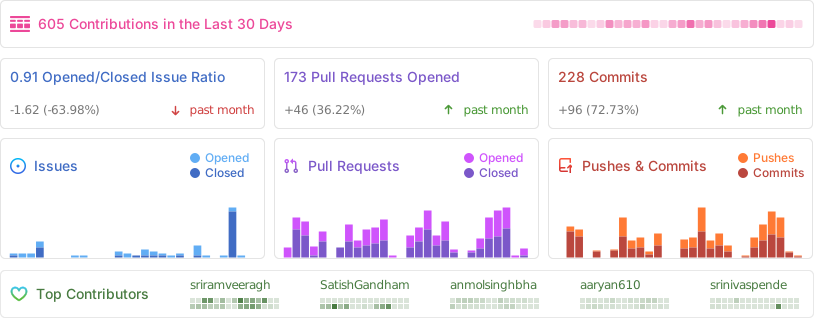
Repo Activity
📸 Screenshots
⛓️ Security
If you believe you have found a security vulnerability in Plane, we encourage you to responsibly disclose this and not open a public issue. We will investigate all legitimate reports.
Email squawk@plane.so to disclose any security vulnerabilities.
❤️ Contribute
There are many ways to contribute to Plane, including:
- Submitting bugs and feature requests for various components.
- Reviewing the documentation and submitting pull requests, from fixing typos to adding new features.
- Speaking or writing about Plane or any other ecosystem integration and letting us know!
- Upvoting popular feature requests to show your support.