 e8e674b6e2
* chore: CRUD operations for epics

* chore: epic comments links activity

* fix: issue creation

* chore epics asset added

* dev: epics icon added

* dev: epics store init

* chore: code refactor

* chore: epics feature flag added

* dev: epic setting page added with empty state

* fix: issue detail endpoint

* chore: epic issues layout

* chore: epics settings and basic store

* fix: build error

* chore: epic sidebar component

* chore: epic comments and activity added

* chore: code refactor

* chore: added the project feature endpoint

* chore: removed the status endpoint

* chore: added the url patterns

* chore: workspace epcic endpoint

* fix: build error

* chore: project epic flow implementaiton

* [WEB-2703] chore: inject all issue type services from base issue type store.

* chore: epic services and store updates

* chore: remove issue property option update service

* chore: minor improvements

* chore: improve property and options fetch logic

* fix: attachments viewset change

* chore: epic user property

* chore: epic quick action added

* chore: epic modal and quick action

* chore: epic store and services updated

* chore: endpoint updted and commented feature flag

* chore: layout root file updated

* chore: issue filter endpoint

* chore: epics filters

* fix: epic issue modal description fetch

* chore: epic issue retrieve endpoint added

* chore: epic quick action updated

* chore: issue detail store fetch method updated

* chore: code refactor

* chore: epic detail page added

* chore: epic peek overview implementation

* chore: epic issue modal onSubmit

* chore: added archive, reactions

* chore: epic enable/disable updated

* chore: epic endpoint updated

* chore: fetch logic updated

* chore: epic issue modal projectId

* chore: epic modal provider updated

* chore: CollapsibleButton component updated

* chore: epic detail sidebar state added to theme store

* chore: epic detail, header, and quick action updated

* chore: epic detail sidebar icon updated

* chore: epic toggle update

* chore: epic details sidebar updated

* chore: services and store updated

* chore: code refactor

* chore: code refactor

* chore: epic comment, additional properties and store updated

* chore: epic analytic

* chore: epic activity key changes

* chore: store updated

* chore: code refactor

* chore: epic endpoint updated

* chore: epic sub-issues endpoint updated

* chore: epic store changes

* chore: epic detail sidebar

* dev: tabs component added to ui package

* chore: epic sidebar improvement

* chore: linear progress indicator improvement

* chore: epic detail page improvements

* chore: epic endpoint updated

* chore: epic detail widgets

* fix: sub-issues count endpoint

* chore: epic detail overview implementation

* fix: sub issues count and response updated

* chore: code refactor

* chore: code refactor

* fix: epic sub issues properties

* chore: epic analytics and code refactor

* fix: epic analytics and peek view actions

* chore: epic peek view added and code refactor

* chore: project navigation items code refactor

* fix: epic enable mutation error

* fix: issue modal description fetch issue

* chore: is_epic flag added to epic issue

* fix: epic list, kanban and spreadsheet layout redirection and peek view

* fix: epic calendar and gantt layout peek view and redirection

* chore: code refactor

* fix: epic details actions and code refactor

* chore: epic progress empty state added

* chore: merge conflict

* fix: epic endpoint response

* fix: epic settings

* fix: local db mutation and epic modal error

* fix: epic filters

* fix: peek view modal context

* fix: epic sub issue mutation

* chore: created search endpoint

* fix: epic sub-issue add mutation

* chore: epic enable and disable endpoint updated and code refactor

* Revert "chore: epic enable and disable endpoint updated and code refactor"

This reverts commit 51e56a6c7e2ca124fe2a79f690b212964eab9043.

* chore: epic analytics mutation improvement

* fix: issue search endpoint

* chore: issue parent search modal improvement

* chore: epic empty state and analytics mutation improvement

* chore: code refactoring

* fix: epic sub-issue mutation

* fix: epic attachment

---------

Co-authored-by: NarayanBavisetti <narayan3119@gmail.com>
Co-authored-by: Prateek Shourya <prateekshourya29@gmail.com>
Co-authored-by: Bavisetti Narayan <72156168+NarayanBavisetti@users.noreply.github.com>

Plane
Open-source project management that unlocks customer value


Website • Releases • Twitter • Documentation


Meet Plane, an open-source project management tool to track issues, run sprints cycles, and manage product roadmaps without the chaos of managing the tool itself. 🧘♀️
Plane is evolving every day. Your suggestions, ideas, and reported bugs help us immensely. Do not hesitate to join in the conversation on Discord or raise a GitHub issue. We read everything and respond to most.
⚡ Installation
The easiest way to get started with Plane is by creating a Plane Cloud account.
If you would like to self-host Plane, please see our deployment guide.
| Installation methods | Docs link |
|---|---|
| Docker |  |
| Kubernetes |  |
Instance admins can configure instance settings with God-mode.
🚀 Features
-
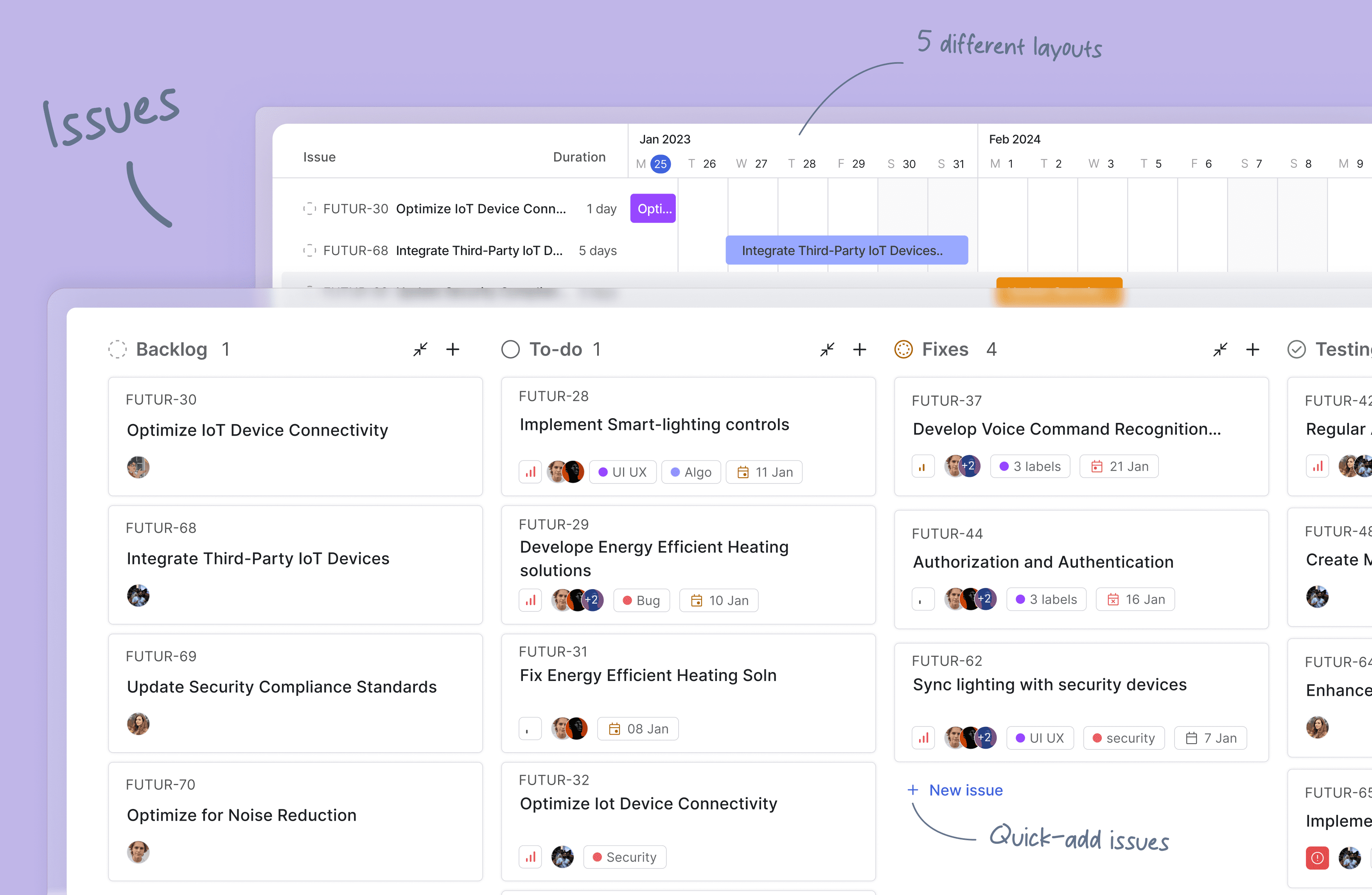
Issues: Quickly create issues and add details using a powerful rich text editor that supports file uploads. Add sub-properties and references to problems for better organization and tracking.
-
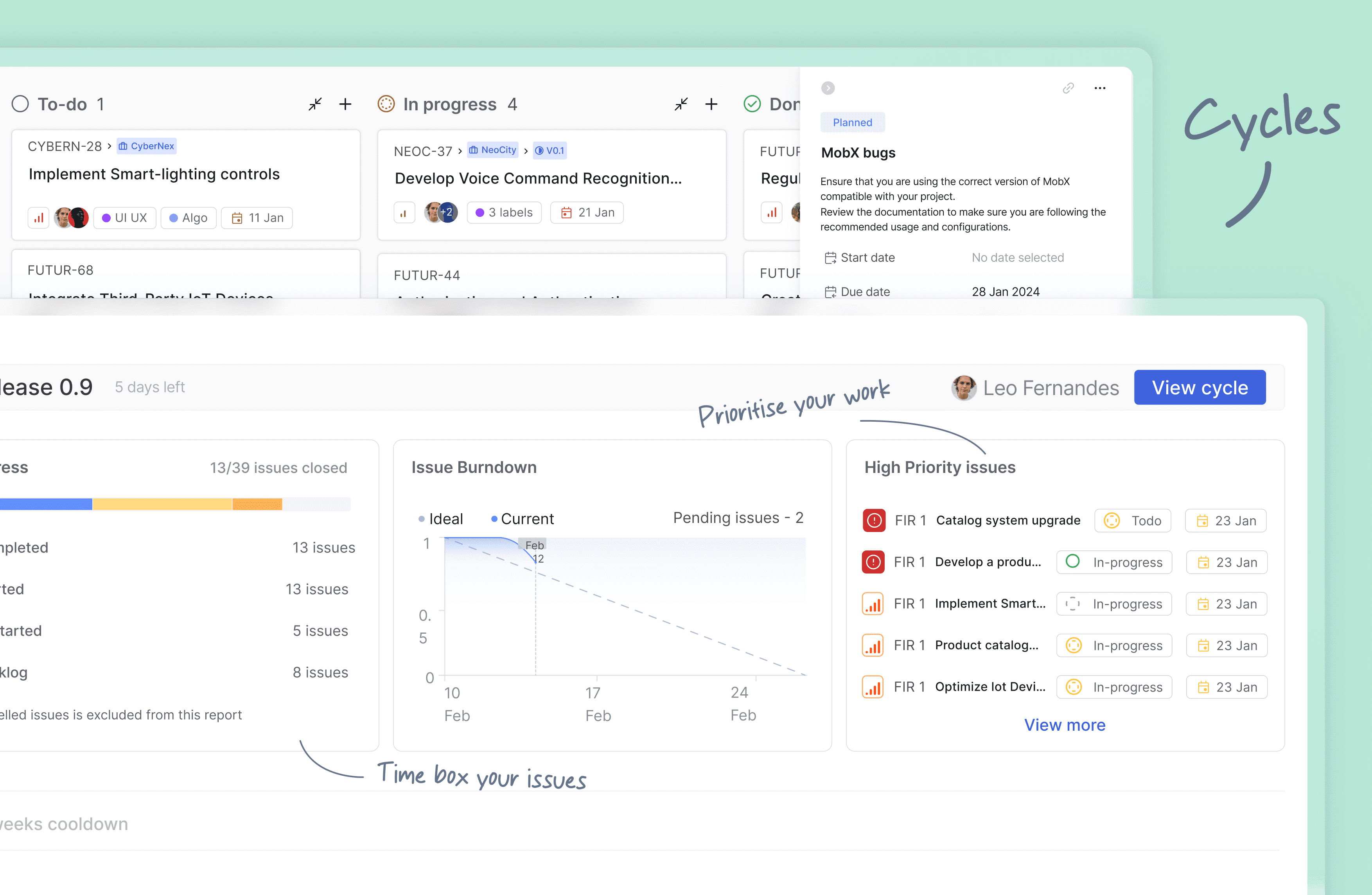
Cycles: Keep up your team's momentum with Cycles. Gain insights into your project's progress with burn-down charts and other valuable features.
-
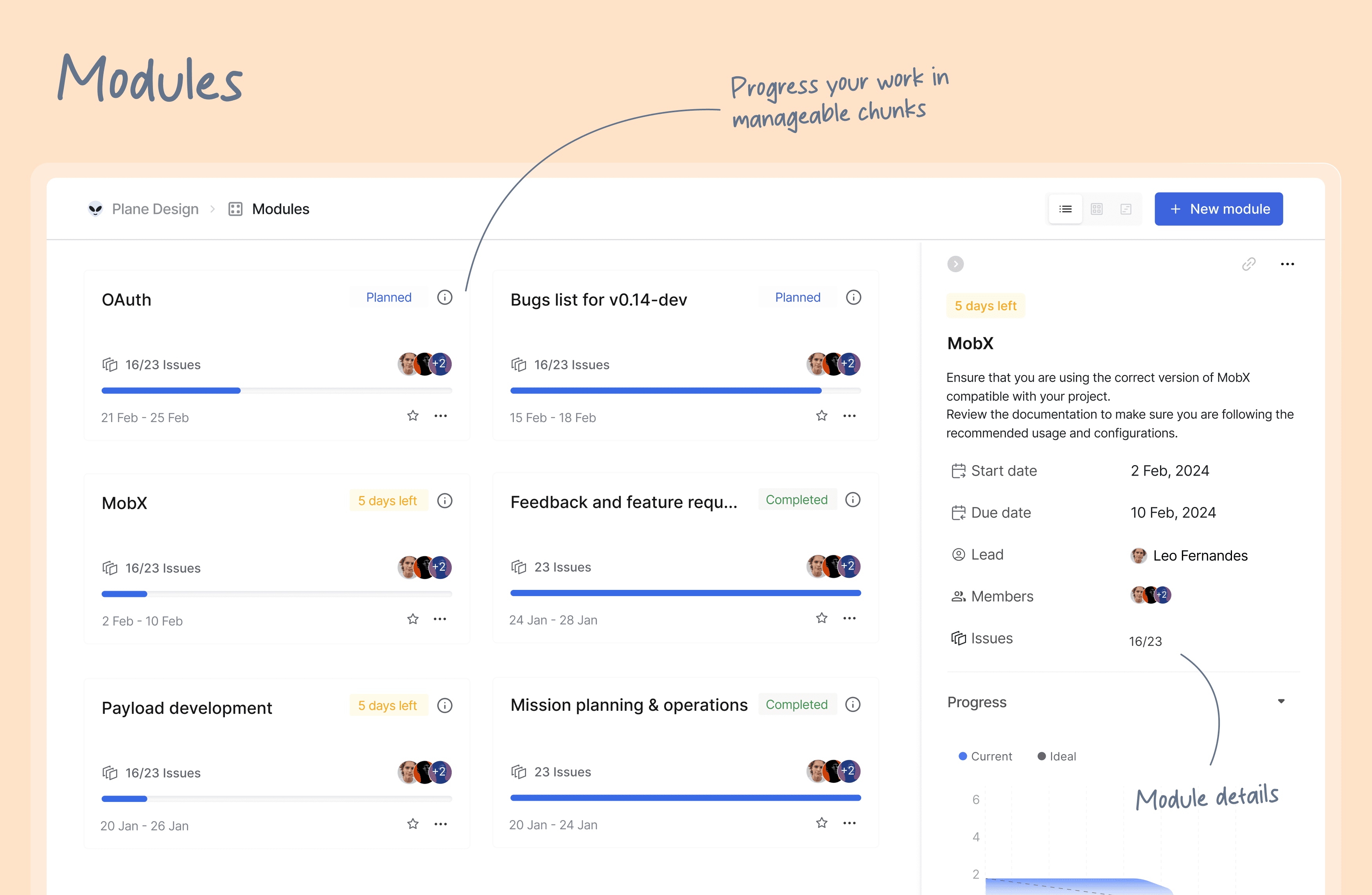
Modules: Break down your large projects into smaller, more manageable modules. Assign modules between teams to track and plan your project's progress easily.
-
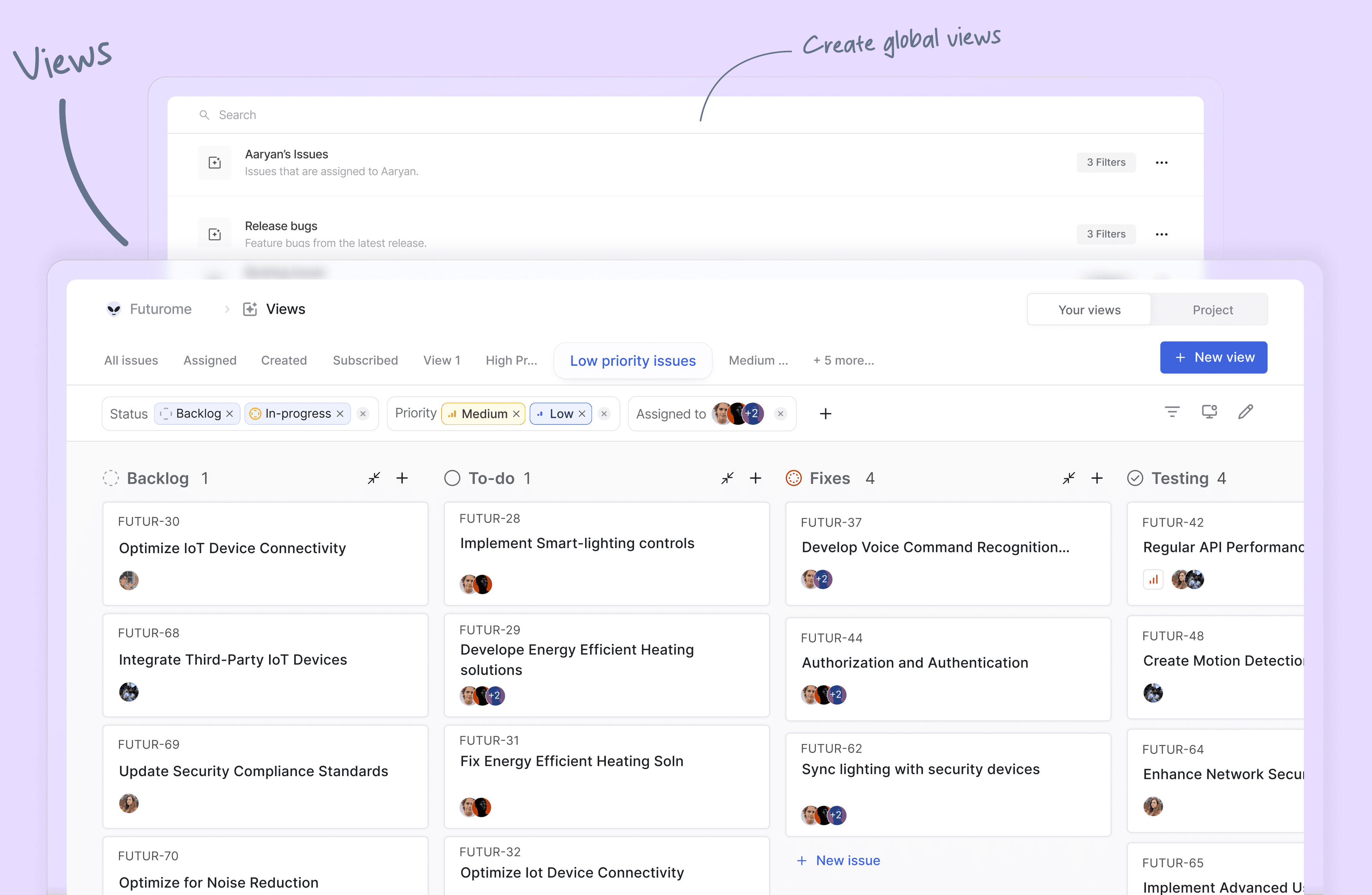
Views: Create custom filters to display only the issues that matter to you. Save and share your filters in just a few clicks.
-
Pages: Plane pages, equipped with AI and a rich text editor, let you jot down your thoughts on the fly. Format your text, upload images, hyperlink, or sync your existing ideas into an actionable item or issue.
-
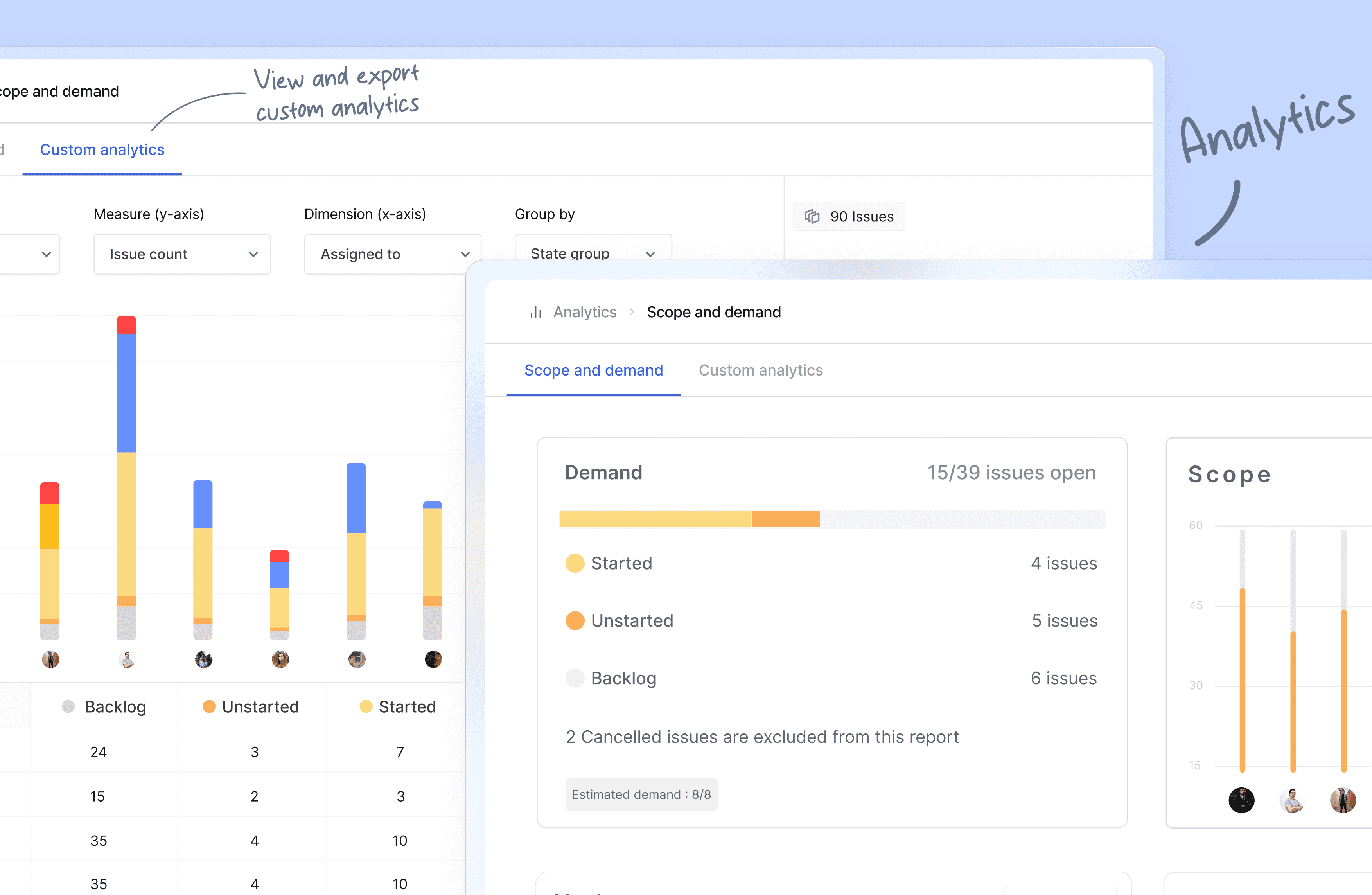
Analytics: Get insights into all your Plane data in real-time. Visualize issue data to spot trends, remove blockers, and progress your work.
-
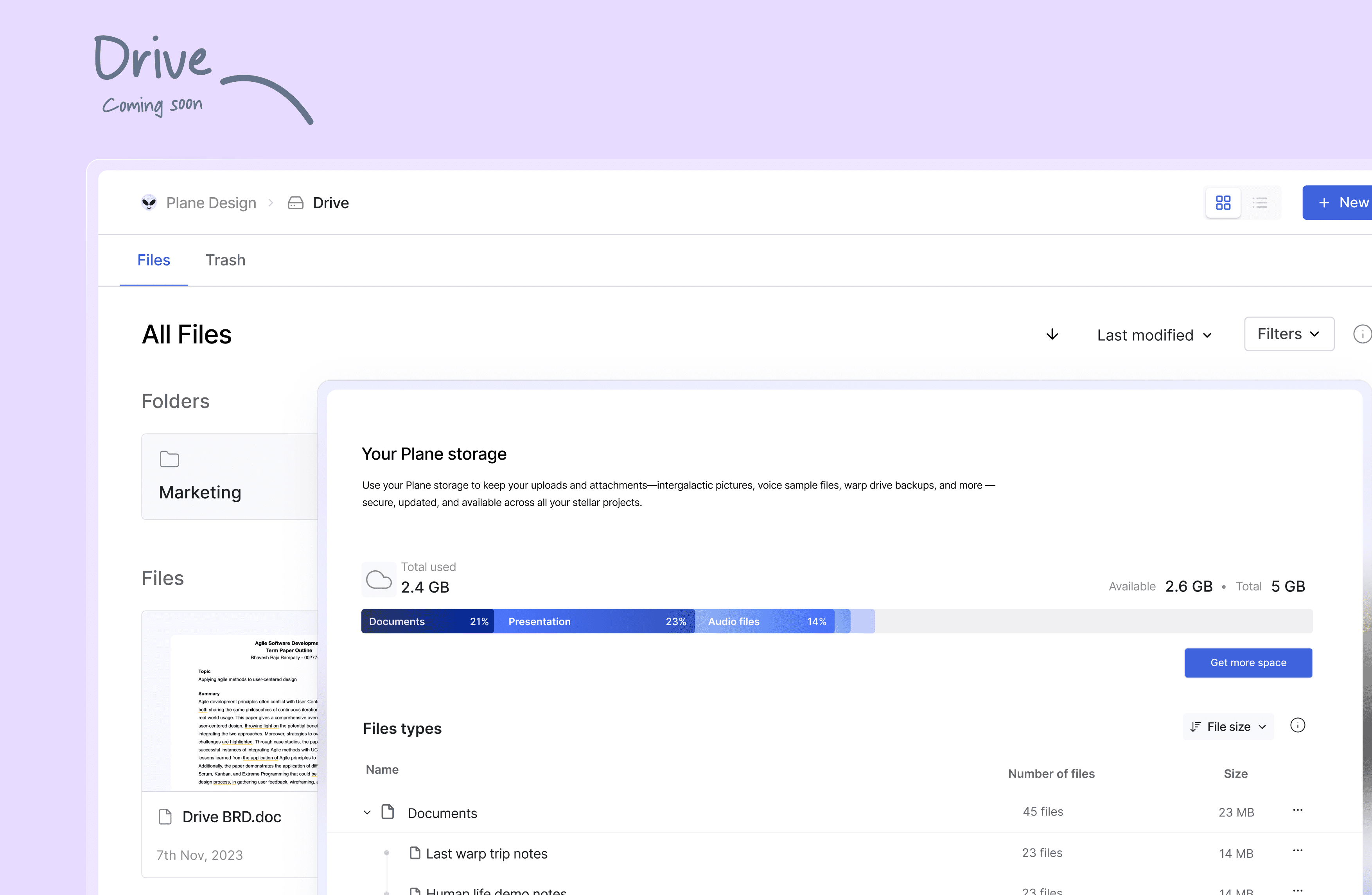
Drive (coming soon): The drive helps you share documents, images, videos, or any other files that make sense to you or your team and align on the problem/solution.
🛠️ Quick start for contributors
Development system must have docker engine installed and running.
Setting up local environment is extremely easy and straight forward. Follow the below step and you will be ready to contribute -
- Clone the code locally using:
git clone https://github.com/makeplane/plane.git - Switch to the code folder:
cd plane - Create your feature or fix branch you plan to work on using:
git checkout -b <feature-branch-name> - Open terminal and run:
./setup.sh - Open the code on VSCode or similar equivalent IDE.
- Review the
.envfiles available in various folders. Visit Environment Setup to know about various environment variables used in system. - Run the docker command to initiate services:
docker compose -f docker-compose-local.yml up -d
You are ready to make changes to the code. Do not forget to refresh the browser (in case it does not auto-reload).
Thats it!
❤️ Community
The Plane community can be found on GitHub Discussions, and our Discord server. Our Code of conduct applies to all Plane community chanels.
Ask questions, report bugs, join discussions, voice ideas, make feature requests, or share your projects.
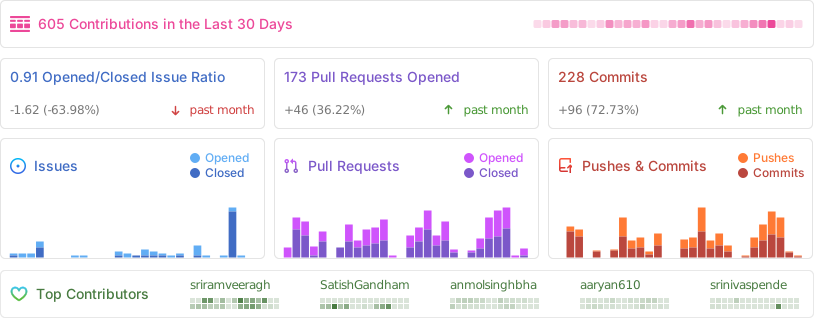
Repo Activity
📸 Screenshots
⛓️ Security
If you believe you have found a security vulnerability in Plane, we encourage you to responsibly disclose this and not open a public issue. We will investigate all legitimate reports.
Email squawk@plane.so to disclose any security vulnerabilities.
❤️ Contribute
There are many ways to contribute to Plane, including:
- Submitting bugs and feature requests for various components.
- Reviewing the documentation and submitting pull requests, from fixing typos to adding new features.
- Speaking or writing about Plane or any other ecosystem integration and letting us know!
- Upvoting popular feature requests to show your support.